On This Page
Pay with Token
You can use
Unified Checkout
to pass through a single token ID to be shown
within the Unified Checkout
UI. To display a payment instrument in the
Unified Checkout
UI, you must include TMS_TOKEN
as an
allowed payment type in the allowedPaymentTypes
field object and the
details of the Token Management Service
(TMS
) token in the
paymentConfigurations
field object in the capture context
request:"allowedPaymentTypes": [ "PANENTRY", "TMS_TOKEN" }, "paymentConfigurations": { "TMS_TOKEN": { "paymentInstruments": [ { "id": "404352E77F6A66E7E0634136CF0ABCD7" }
This is an example UI with a payment instrument:
Figure:
Pay with Token in
Unified Checkout
UI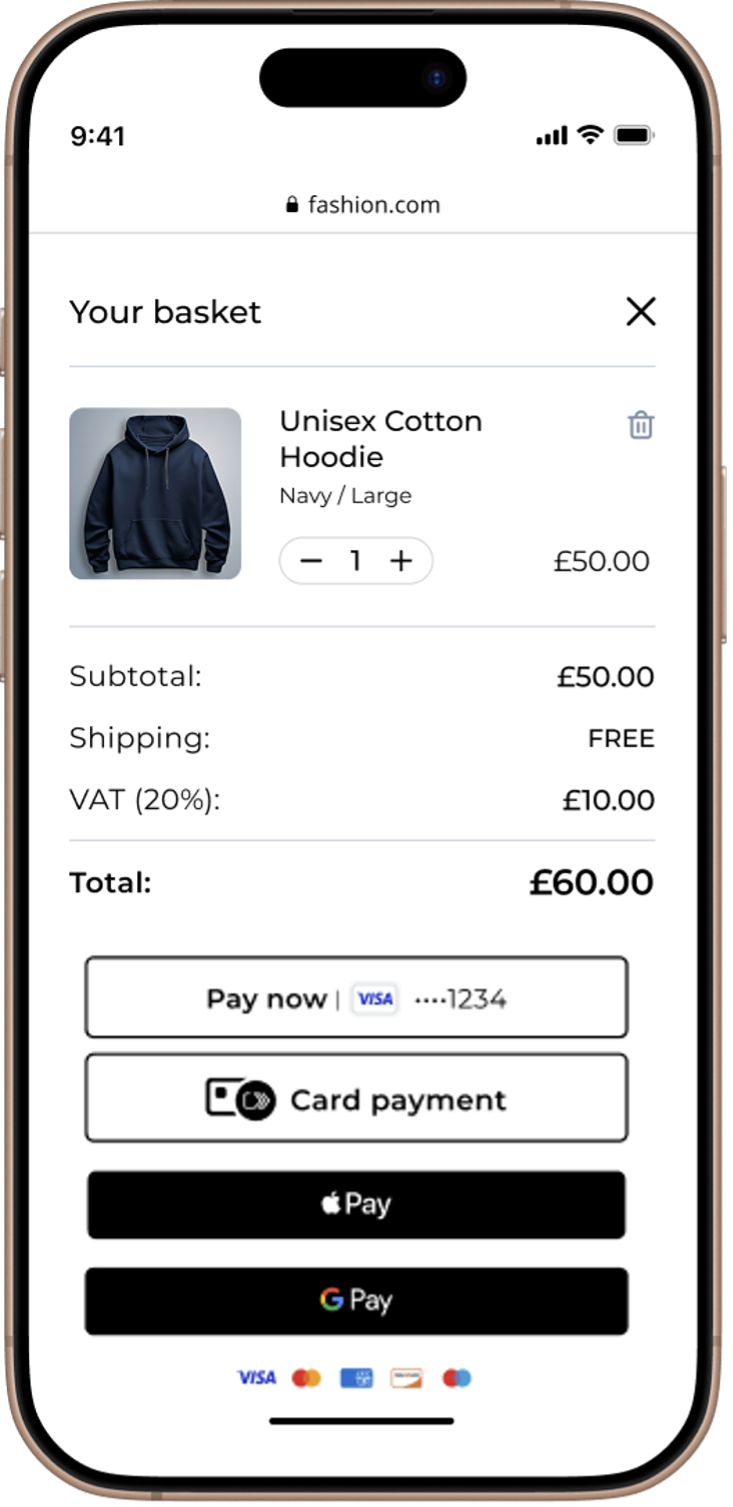
You can use these token types to pay with a token in
Unified Checkout
:- Customer Tokens
- When you include the customer token, your UI displays the default payment instrument that is inked to a customer. To display a customer token, you must include thepaymentConfigurations.TMS_TOKEN.customer.idfield in your sessions API request.IMPORTANTWhen you include a customer token ID here withtokenCreatefor apaymentInstrumentorinstrumentIdentifier, the complete mandate creates a new payment instrument or instrument identifier within the level of the customer token that you provide."paymentConfigurations": { "TMS_TOKEN": { "customer": { "id": "404352E77F6A66E7E0634136CF0ABCD7" }
- Instrument Identifier Tokens
- When you include an instrument identifier token, your UI displays the payment instrument that is associated with the specified instrument identifier. To display an instrument identifier token, you must include thepaymentConfigurations.TMS_TOKEN.instrumentIdentifiers.idfield in your sessions API request."paymentConfigurations": { "TMS_TOKEN": { "instrumentIdentifiers": [ { "id": "4B1BCB328D52ED86E063AF598E0A99A5" }
- Payment Instruments
- When you include a payment instrument, your UI displays the payment instrument that is associated with the specified payment instrument token identifier. To display a payment instrument, you must include thepaymentConfigurations.TMS_TOKEN.paymentInstruments.idfield in your sessions API request."paymentConfigurations": { "TMS_TOKEN": { "paymentInstruments": [ { "id": "404352E77F6A66E7E0634136CF0ABCD7" }
IMPORTANT
To make a new payment instrument or instrument identifier under
an existing customer during the complete mandate, you must meet these requirements:
- You must include the customer token ID in thepaymentConfigurationsfield object.
- TMS_TOKENmust be included in theallowedPaymentTypesfield object.
- tokenCreatemust be set totrueandpaymentInstrumentandinstrumentIdentifiermust be included as values in thetms.tokenTypesfield array. For example:"tms": { "tokenCreate": true, "tokenTypes": [ "paymentInstrument", "instrumentIdentifier", ] }